Zylo

Zylo Deployments

One click to go from editor to production. Your app gets its own URL, zero-downtime deploys, auto-scaling, and a global CDN — all powered by HumanikCloud. No servers to manage, no pipelines to configure, no DevOps required.

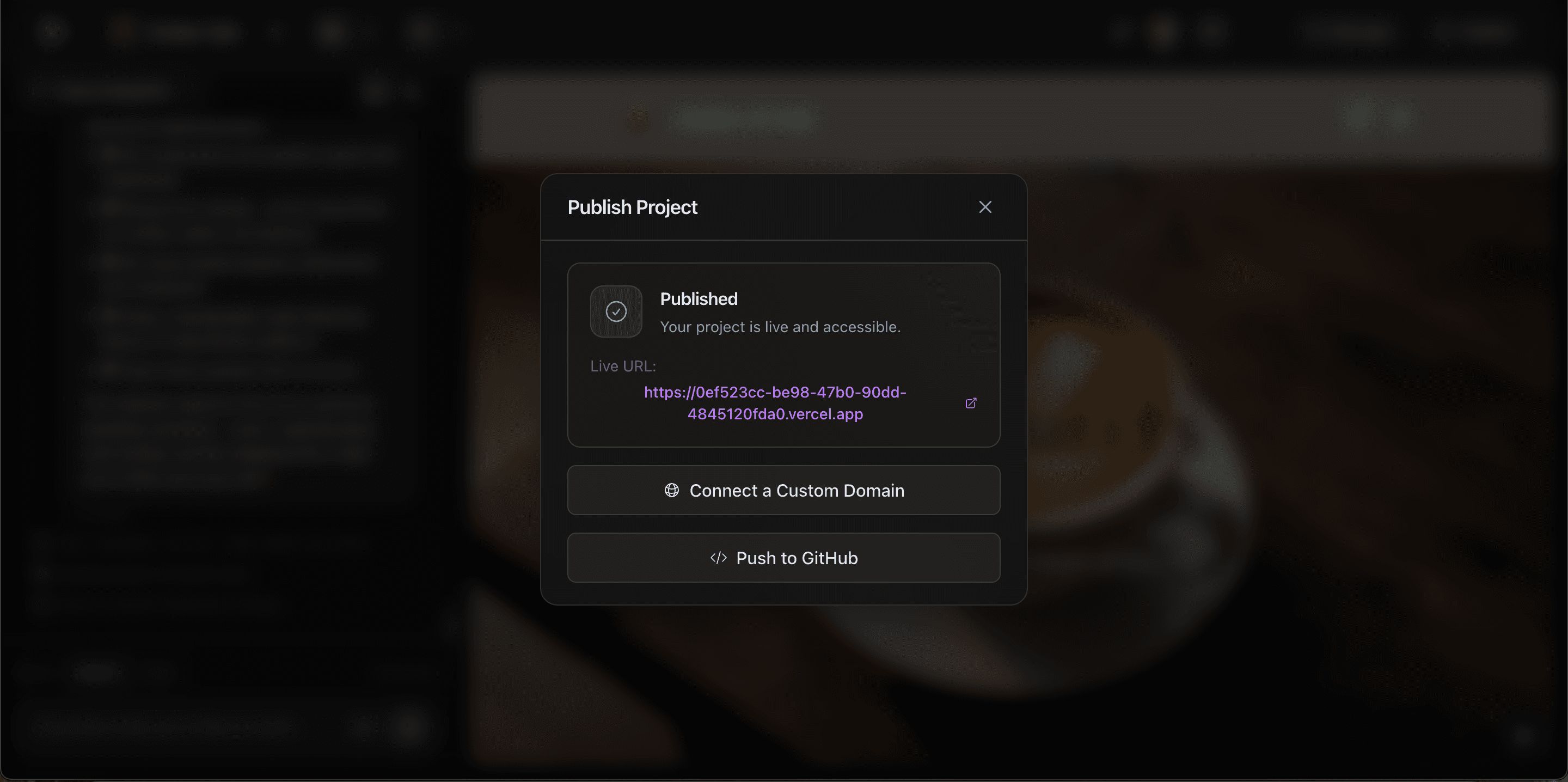
Zylo publish modal — app is live with URL, custom domain connection, and GitHub push

01

Click Publish

One button, no config

02

Instantly live

Your own URL in seconds

03

Custom domain

SSL auto-provisioned

04

Auto-scales

Handles any traffic level

From idea to production

The full auto-deploy pipeline

When you hit publish, Zylo runs an end-to-end pipeline that takes your app from conversation to live production URL. Here's exactly what happens.

01

You describe your app

Tell the AI agent what you want in Zylo Studio.

02

Phoenix spins up

A dedicated sandbox VM (4 CPU, 8GB RAM) is provisioned for your project.

03

Phoenix builds

The AI agent plans architecture, generates full-stack code, and installs dependencies.

04

Auto-repair

Build errors are detected and fixed automatically — up to 5 repair attempts.

05

Code committed

Working code is pushed to the project’s managed Git repository.

06

HumanikCloud deploys

A webservice is auto-created — HumanikCloud clones the repo, installs, builds, and starts the server.

07

Health checks pass

Blue-green deployment ensures the new version is verified before traffic switches.

08

Live URL ready

Your app is live with SSL, CDN, auto-scaling, and health monitoring. Zero downtime.

Multi-service projects

Deploy each container independently

Zylo projects can include multiple containers — a Next.js frontend and a Node.js backend, for example. Each container deploys as its own webservice on HumanikCloud with separate environment variables, separate health checks, and separate scaling. Update your backend without touching the frontend, or vice versa.

  • Each container deploys as a separate webservice
  • Per-container environment variables and secrets
  • Independent health checks and scaling per service
  • Frontend and backend update independently
Deployed backend service on HumanikCloud with live URL and health status

Instant publishing

One click and you’re live

Hit publish and your app is live on the internet with its own URL — instantly. Connect a custom domain, push to GitHub, or share the link. No build pipelines, no deploy scripts, no waiting. Your app goes from editor to production in seconds.

  • Published with a live URL in one click
  • Connect a custom domain or use the default
  • Push to GitHub directly from the publish modal
  • No CI/CD pipelines, no Dockerfiles, no terminal
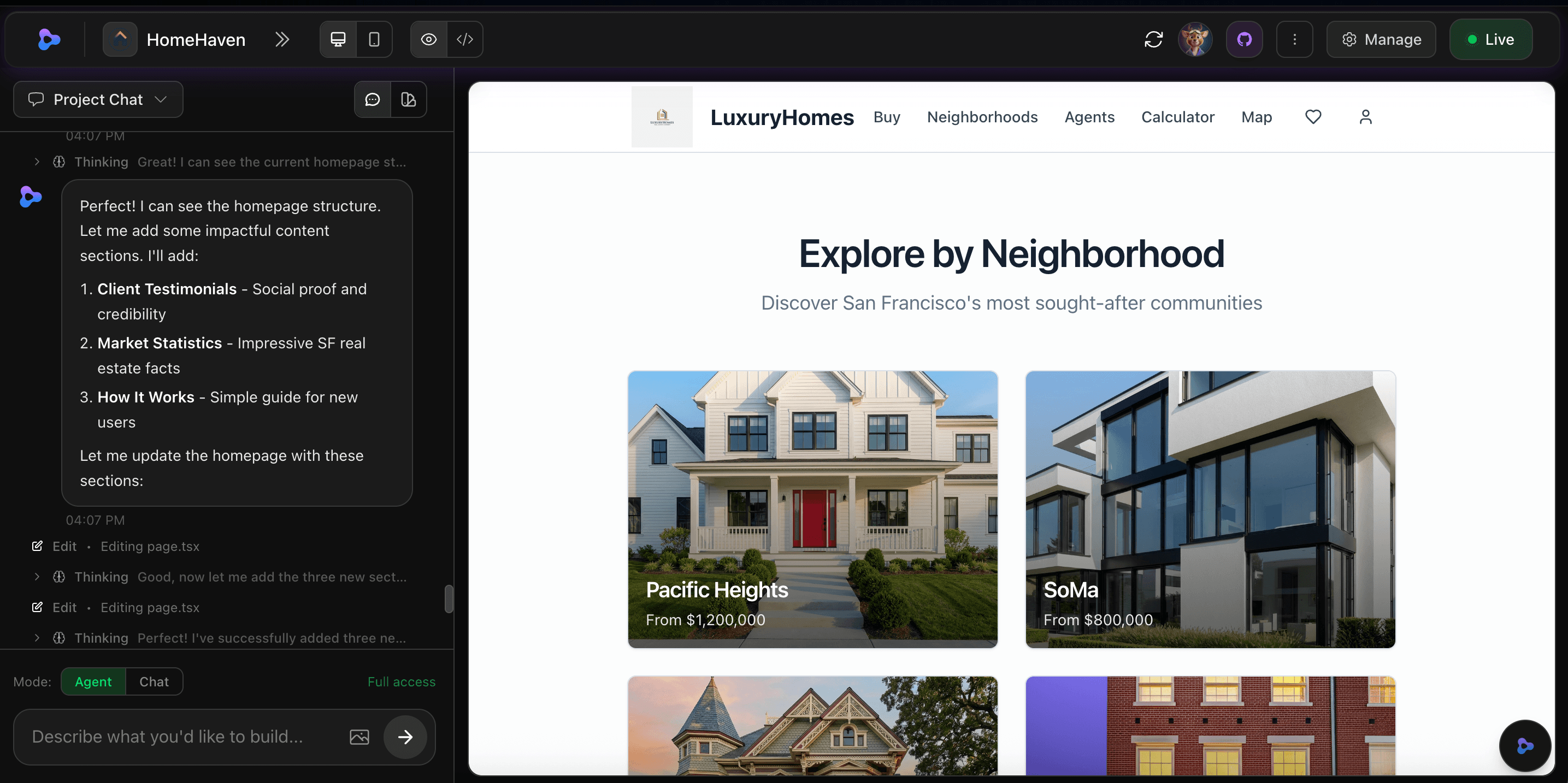
Zylo AI agent building and deploying a full-stack app in real time

Production infrastructure

Powered by HumanikCloud

Every app runs on HumanikCloud — our managed infrastructure layer built for AI-generated software. VM isolation keeps your app secure, blue-green deploys ensure zero downtime, and automatic failover means your app recovers before users notice. Open your project settings and connect to HumanikCloud with one click.

  • VM isolation — every app runs in its own dedicated environment
  • Blue-green deploys — new version tested before traffic switches
  • Automatic failover and instance replacement
  • Managed for you — no server administration required
HumanikCloud settings panel in Zylo project settings with Open Dashboard button

Full visibility

Monitor, scale, and manage

The HumanikCloud dashboard gives you full visibility into your deployed services. See instance health, CPU and memory usage, deployment history, and logs — all in one place. Auto-scaling handles traffic spikes automatically, and health checks restart unhealthy instances before they affect users.

  • Service overview with instance count, vCPU, and memory
  • Deployment history with rollback capability
  • Real-time logs and health monitoring
  • Auto-scaling from zero to any level of demand
HumanikCloud instances dashboard showing healthy instance with vCPU, memory, and provider details

Full observability

Real-time logs and visibility

See exactly what your app is doing with real-time service logs. Filter by level, search by keyword, and monitor heartbeat status — all from the HumanikCloud dashboard. When something goes wrong, you’ll know before your users do.

  • Real-time service logs with search and level filtering
  • Heartbeat monitoring with health status per instance
  • Idle timeout tracking for cost-efficient scaling
  • Full log history for debugging and auditing
HumanikCloud service logs showing real-time heartbeat and health monitoring

SSL + CDN + encryption

Secure from the start

Every deployment gets HTTPS automatically with managed SSL certificates — no configuration needed. Static assets are served from a global CDN for fast load times worldwide. Environment variables and secrets are encrypted at rest and injected at boot, never exposed in your code or logs.

  • Auto-provisioned SSL certificates for every domain
  • Global CDN with 42+ edge locations worldwide
  • Encrypted secrets injected at boot, never on disk
  • Custom domains with managed certificate renewal

What every deploy includes

Enterprise-grade infrastructure included with every app — powered by HumanikCloud

Blue-green deploys

New version built and health-checked in a standby slot. Traffic switches only after everything passes. Zero downtime.

Auto-scaling

Scales up with traffic, scales down when idle. No capacity planning, no manual intervention.

Global CDN

Static assets served from 42+ edge locations worldwide. Fast load times for every user, everywhere.

Auto-provisioned SSL

Every deployment gets HTTPS automatically. Custom domains get managed certificates with zero configuration.

Health monitoring

3-level health checks — process, HTTP, and deep — with automatic recovery and instance replacement.

One-click deploy

No CI/CD pipelines to configure. No Dockerfiles to write. Hit deploy and your app is live.

Cost-efficient infrastructure

Scale to zero. Wake on demand.

HumanikCloud webservices scale to zero when idle. A heartbeat monitors activity, and after the idle timeout, the instance sleeps — no charges for idle time. When a request arrives, the service wakes automatically. Secrets are re-injected at boot, so your app is fully configured every time it starts.

  • Heartbeat + idle timeout for automatic sleep/wake
  • Secrets re-injected securely at every boot
  • HumanikCloud account auto-created with Zylo signup
  • No separate billing setup — included in your Zylo plan

Webservice specs

vCPU1 core
Memory512 MB RAM
Max instancesUp to 5
ScalingAuto, from zero
SSLAuto-provisioned
CDN42+ edge locations
HumanikCloud service overview dashboard

Full observability

Monitor every deploy, every instance, every log

HumanikCloud gives you full visibility into your production services. See real-time logs — including Phoenix build process logs — directly in your dashboard. Monitor instance health, track deployments, and watch auto-scaling in action. No third-party monitoring tools needed.

  • Real-time service logs in the HumanikCloud dashboard
  • Phoenix build process logs visible alongside production logs
  • Instance health monitoring with auto-restart on failure
  • Connect a custom domain or use the auto-provisioned URL
Phoenix service logs showing heartbeat and health status in HumanikCloud dashboard
HumanikCloud instances dashboard showing healthy instance with auto-scaling

What builders are saying

Real results from people deploying with Zylo

I hit publish and my app was live with its own URL in under 10 seconds. Then I connected my custom domain and it just worked. No DNS headaches, no certificate setup.

Marcus Rodriguez

We deployed 5 different landing pages to test startup ideas. The one that stuck is now our main product. Being able to go live instantly let us move faster than any competitor.

James Wilson

Zero downtime on every deploy. Our users never see a loading screen or error page during updates. The blue-green system just works.

Yuki Tanaka

I hit publish and my app was live with its own URL in under 10 seconds. Then I connected my custom domain and it just worked. No DNS headaches, no certificate setup.

Marcus Rodriguez

We deployed 5 different landing pages to test startup ideas. The one that stuck is now our main product. Being able to go live instantly let us move faster than any competitor.

James Wilson

Zero downtime on every deploy. Our users never see a loading screen or error page during updates. The blue-green system just works.

Yuki Tanaka

Frequently asked questions

How do I deploy my app?

Click the Publish button in Zylo Studio. Your app goes live with a URL instantly. No build scripts, no CI/CD, no terminal commands.

What is HumanikCloud?

HumanikCloud is Zylo’s managed infrastructure layer. It handles VM isolation, auto-scaling, zero-downtime deploys, SSL, CDN, and health monitoring — so you never have to manage servers.

Can I use my own domain?

Yes. Connect a custom domain from the publish modal or project settings. SSL certificates are provisioned and renewed automatically.

What happens during a deploy?

Zylo uses blue-green deployment. Your new version is built and health-checked in a standby slot. Traffic only switches after everything passes. Zero downtime, every time.

Does it auto-scale?

Yes. Your app scales up with traffic and scales down when idle. No capacity planning or manual intervention needed.

Can I push my code to GitHub?

Yes. Every project is a real Git repository. Push to GitHub directly from the publish modal, or connect your repo in project settings.

What are the webservice specs?

Each webservice runs with 1 vCPU and 512 MB RAM. You can scale up to 5 instances per service with automatic load balancing. Auto-scaling and scale-to-zero are included on all plans.

Ship your first app

Build and deploy in minutes. No infrastructure to manage.