
Zylo Security
VM isolation, encrypted secrets, auto-provisioned SSL, network isolation, and Row Level Security — all on by default. No configuration, no security checklist. For teams, add SSO and role-based access.

Create a project
Security is on by default
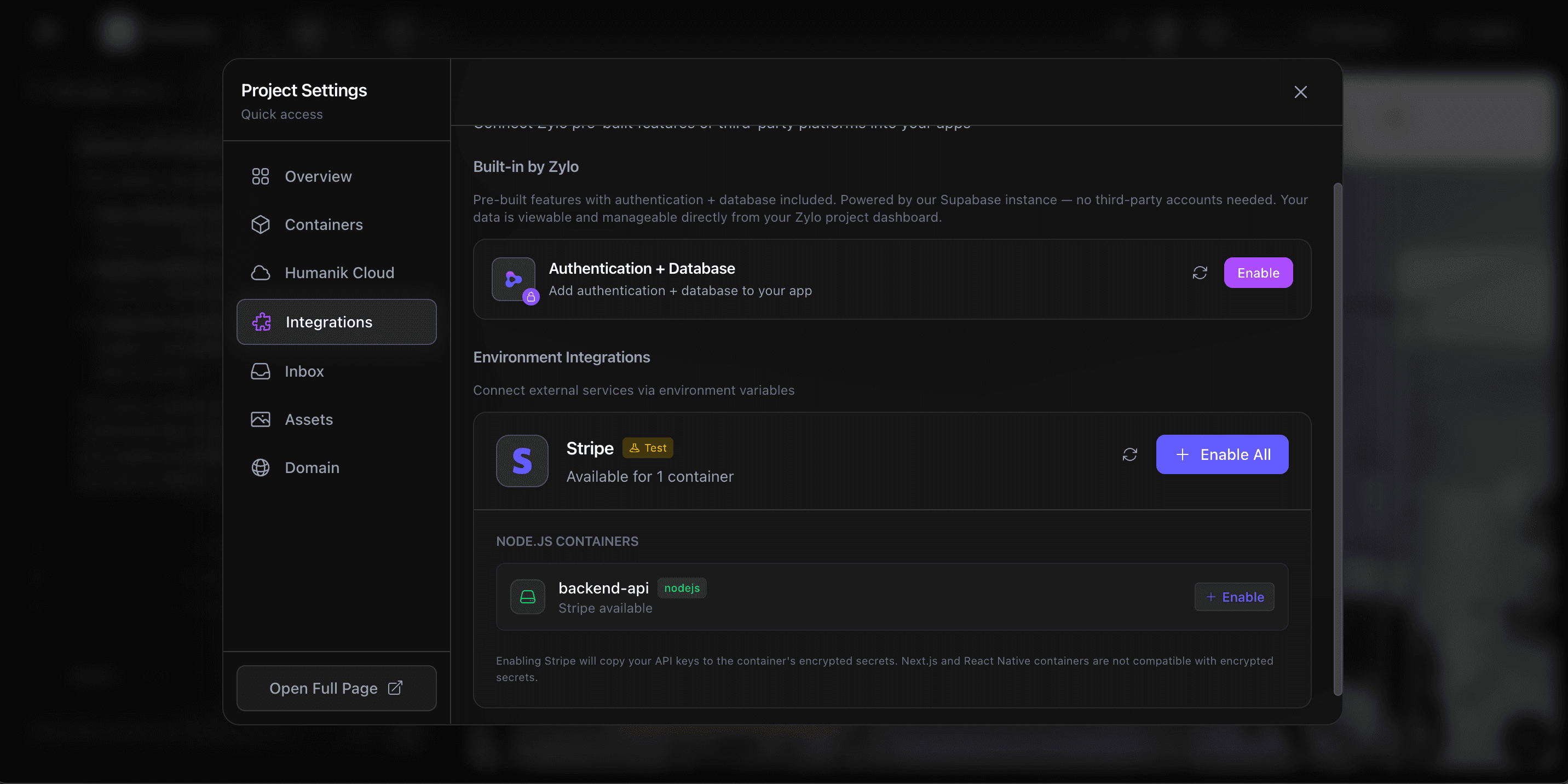
Add secrets securely
Deploy with confidence
Secure by default
Every app includes
Security that works out of the box — no configuration, no checklists, no security team required.
VM isolation
Every project runs in its own dedicated virtual machine. Complete process, filesystem, and network isolation between all apps.
Encrypted secrets
DEK/KEK envelope encryption for all environment variables and API keys. Injected at boot, never written to disk.
Auto-provisioned SSL
HTTPS on every deployment — including custom domains. Managed certificates with an A+ security rating, no configuration needed.
Network isolation
Each VM has its own network namespace. Inter-project communication is blocked by default to prevent lateral movement.
Row Level Security
Database access policies are auto-configured per project. Users only see their own data — enforced at the database level.
Audit logging
Every deployment, config change, secret access, and user action is logged for compliance, debugging, and incident response.
Infrastructure isolation
Every app gets its own virtual machine
Your project doesn't share resources with anyone else. Each app runs in a fully isolated VM with its own filesystem, processes, and network namespace. No noisy neighbors, no cross-contamination.
Secrets are encrypted with DEK/KEK envelope encryption — industry standard for protecting sensitive data. API keys are injected at runtime and never written to disk, so even if someone accessed the filesystem, they'd find nothing.
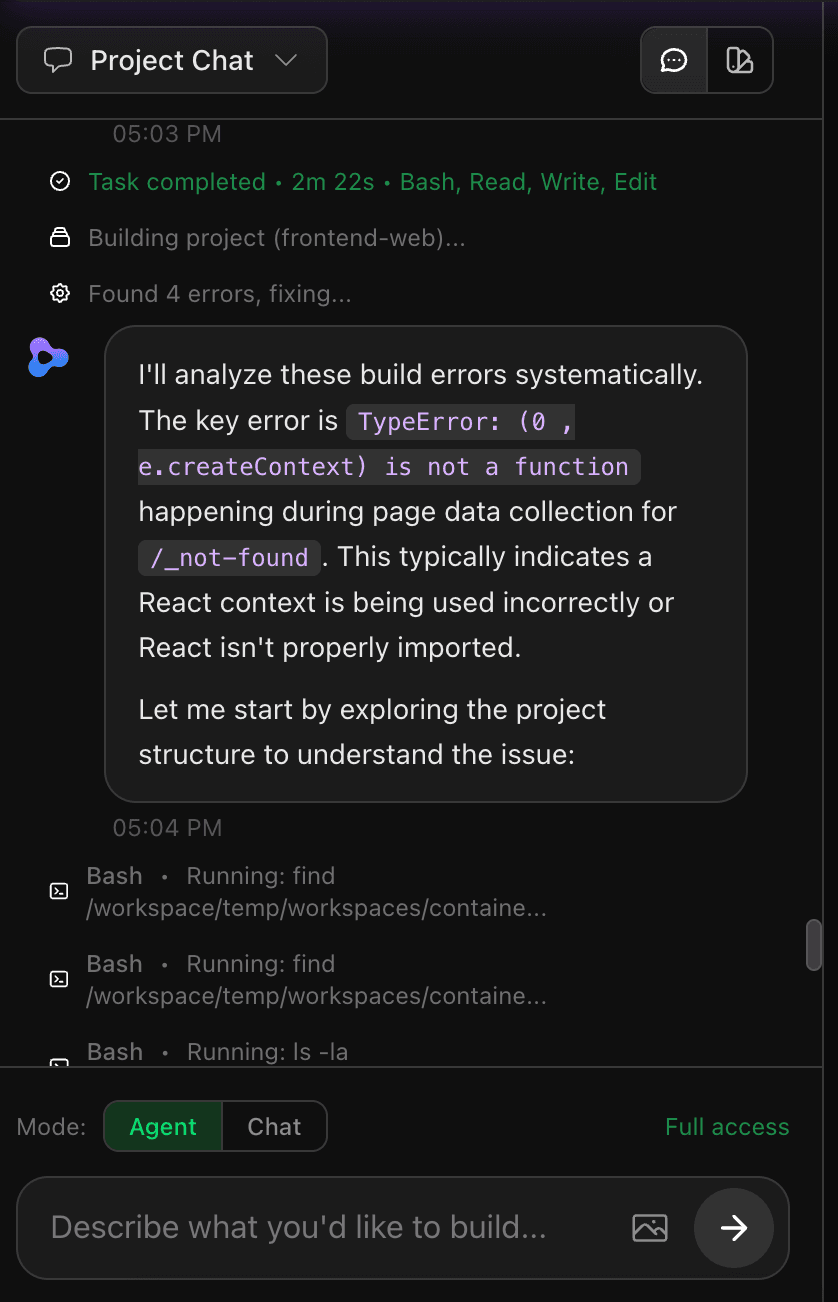
Automatic scanning
The agent catches issues before you deploy
Every time the AI agent builds your app, it scans for common vulnerabilities — exposed secrets, insecure dependencies, and code-level issues. If it finds something, it fixes it automatically.
No separate security tool to configure. No manual review step. The agent writes secure code from the start and catches problems before they ever reach production.
Visibility & compliance
Full audit trail for every action
Every deployment, config change, secret access, and user action is logged. Detailed audit trails make compliance reporting straightforward.
When something goes wrong, you have the full picture — who did what, when, and what changed. No guesswork.
For teams & organizations
Enterprise-grade controls
SSO, role-based access, and private deployments: everything your team needs to build at scale with confidence.
SSO / SAML
Single Sign-On with your existing identity provider. Enforce authentication policies and onboard entire departments seamlessly.
Role-based access control
Control who can view, edit, and deploy. Assign granular permissions to individuals or groups with SCIM integration.
Private deployments
Share and test internal prototypes securely. Only authorized team members can access your projects before they go live.
Dedicated support
Priority incident response and an assigned account manager.
What people are saying
“The fact that every app gets its own VM and encrypted secrets by default — that level of security is rare for a no-code platform.”
Daniel Park
“SSO and role-based access made it easy to roll Zylo out across our entire team without worrying about permissions.”
Rebecca Torres
“Auto-provisioned SSL on every deployment including custom domains. One less thing to worry about.”
Chris Hartley
“The fact that every app gets its own VM and encrypted secrets by default — that level of security is rare for a no-code platform.”
Daniel Park
“SSO and role-based access made it easy to roll Zylo out across our entire team without worrying about permissions.”
Rebecca Torres
“Auto-provisioned SSL on every deployment including custom domains. One less thing to worry about.”
Chris Hartley
“The fact that every app gets its own VM and encrypted secrets by default — that level of security is rare for a no-code platform.”
Daniel Park
“SSO and role-based access made it easy to roll Zylo out across our entire team without worrying about permissions.”
Rebecca Torres
“Auto-provisioned SSL on every deployment including custom domains. One less thing to worry about.”
Chris Hartley
Frequently asked questions
How does Zylo keep my app secure?
Every Zylo app runs in its own isolated virtual machine with encrypted secrets, auto-provisioned SSL, network isolation, and Row Level Security on the database. Security is on by default — no configuration needed.
Are my API keys and secrets safe?
Yes. All secrets use DEK/KEK envelope encryption. They are injected at runtime and never written to disk or exposed in client-side code.
Does Zylo provide SSL certificates?
Every deployment gets HTTPS automatically. Custom domains receive managed SSL certificates with an A+ security rating — no setup required.
Does Zylo support SSO for teams?
Enterprise plans include SSO/SAML integration with your existing identity provider, plus role-based access controls and SCIM provisioning.
Is Zylo SOC 2 compliant?
Zylo is pursuing SOC 2 compliance and meets rigorous security standards for enterprise organizations building mission-critical applications.
Can I control who has access to my projects?
Role-based access controls let you manage who can view, edit, and deploy your applications. Enterprise teams can use SCIM to map their identity framework and assign granular permissions.
Build with confidence
Security shouldn't be an afterthought. With Zylo, it's built in from the start.
Start building free