
Zylo Design
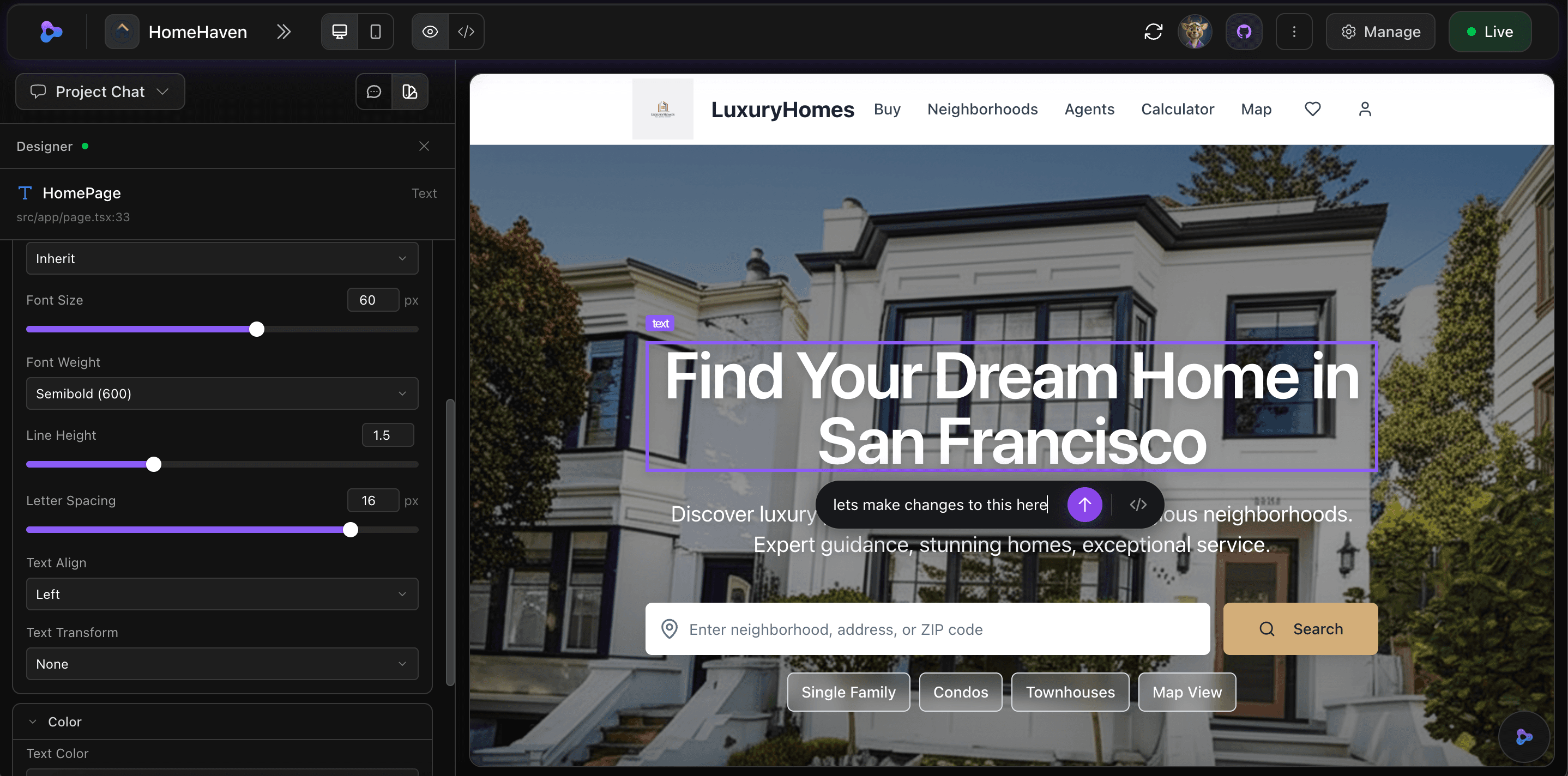
Click any element in your app to edit it visually, or just tell the AI what to change in plain English. Typography, colors, images, layouts — everything updates live in a real preview. No design tools, no code.

01
Click to select
Any element in your live app
02
Edit visually
Styles, text, images, layout
03
Or describe it
Plain English, AI applies it
Visual Editor
Click any element to edit it
Select any element in the live preview — text, images, buttons, sections — and edit it directly. Adjust typography, spacing, colors, and layout with intuitive controls. Every change writes clean code under the hood.
- Click to select any element in your live app preview
- Adjust font size, weight, color, spacing, and alignment
- Changes write real React + Tailwind CSS — not overrides
- See every change reflected instantly in the preview
Conversational editing
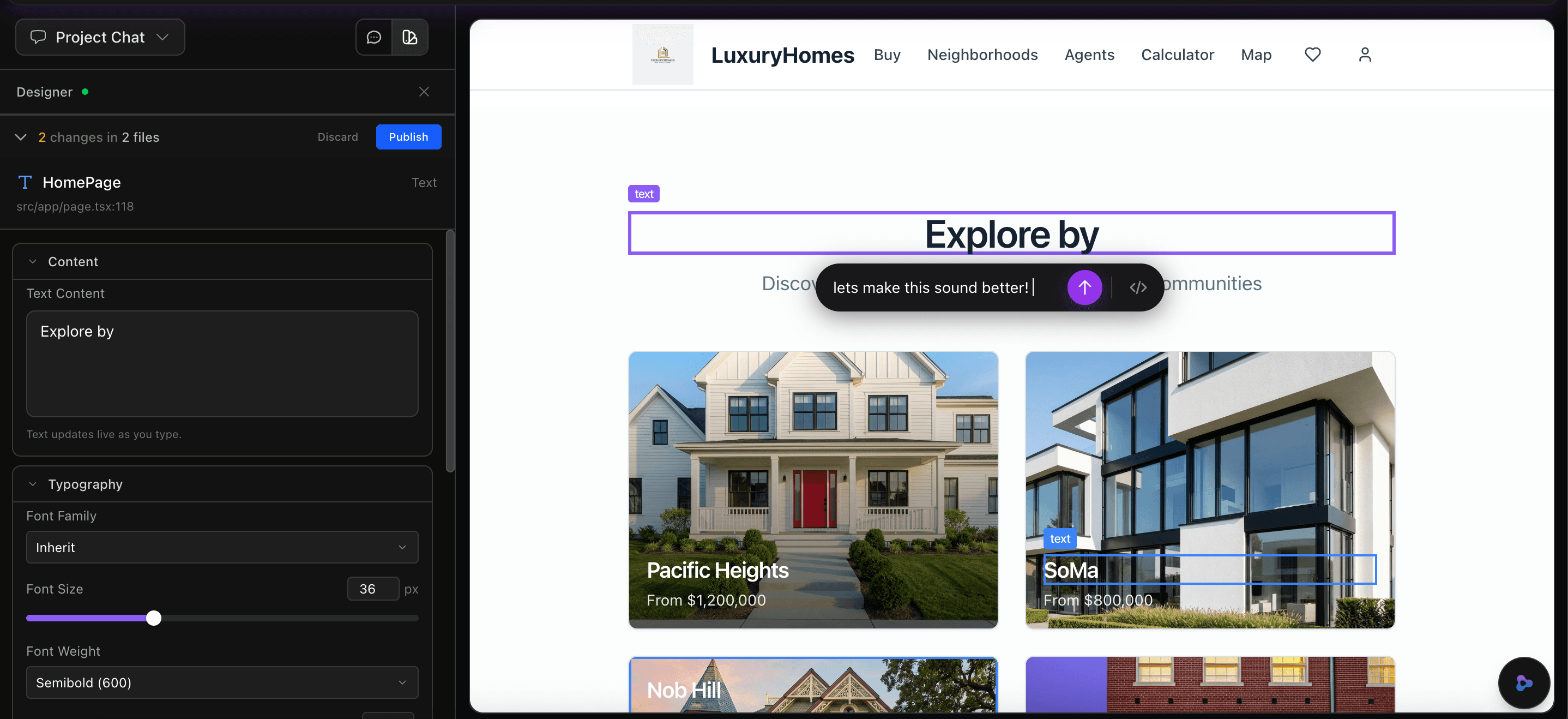
Describe changes in plain English
"Make the hero section bigger" or "add a contact form below pricing" — just describe what you want and the AI applies it across your full codebase. It understands your components, routes, and styles so changes are consistent everywhere.
- Natural language editing — no code or design skills needed
- AI understands your full project structure and context
- Changes applied across components, routes, and styles
- Select an element first to give the AI precise context
Asset management
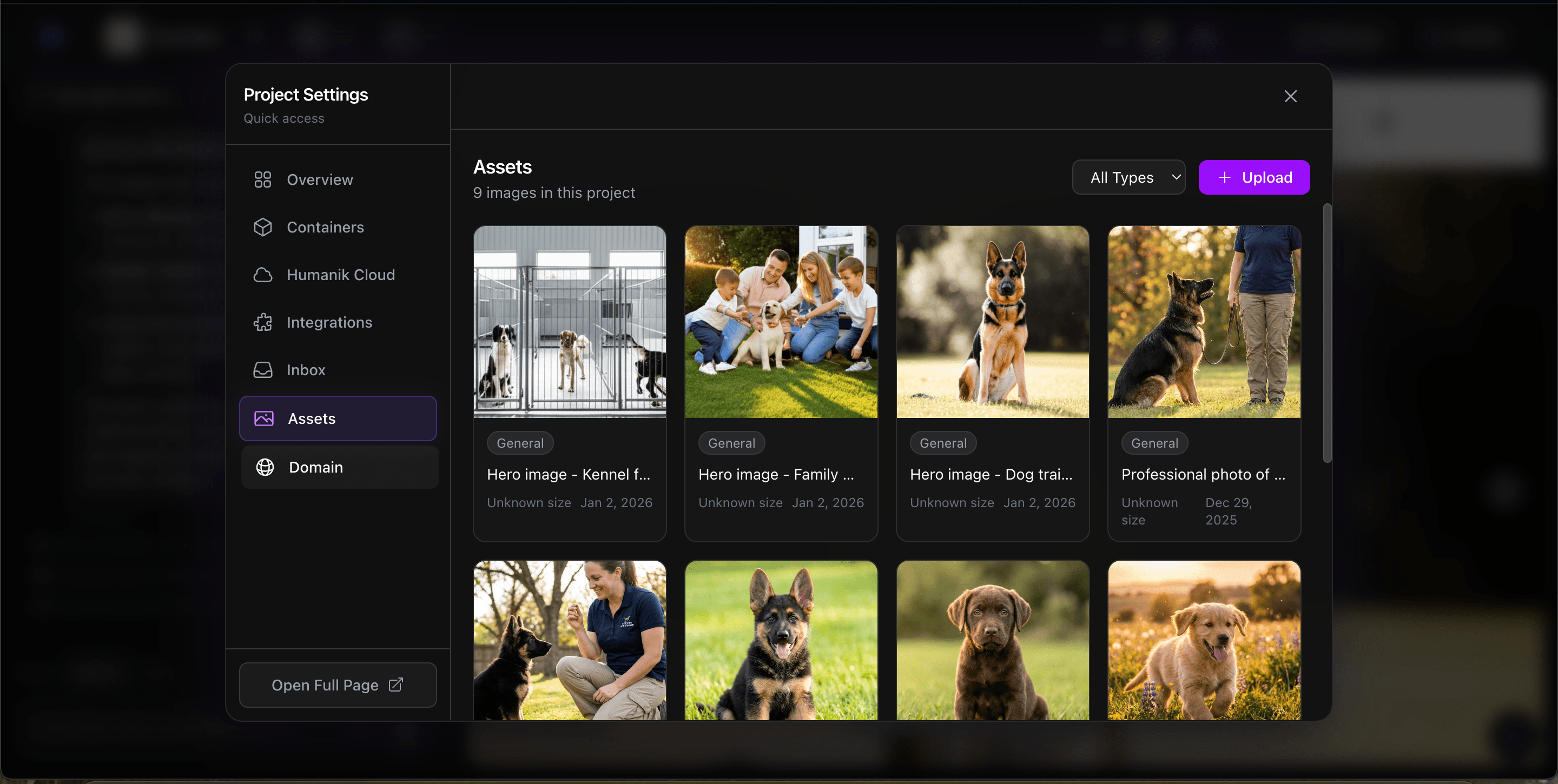
Swap images and manage assets
Upload your own images or choose from the built-in library. Select any image in the preview and replace it — the AI updates the source code automatically. Manage backgrounds, hero images, logos, and galleries without touching a file manager.
- Click any image in the preview to replace it
- Upload your own files or choose from the library
- AI updates the correct file and component automatically
- Works for backgrounds, galleries, logos, and icons
Unlimited refinement
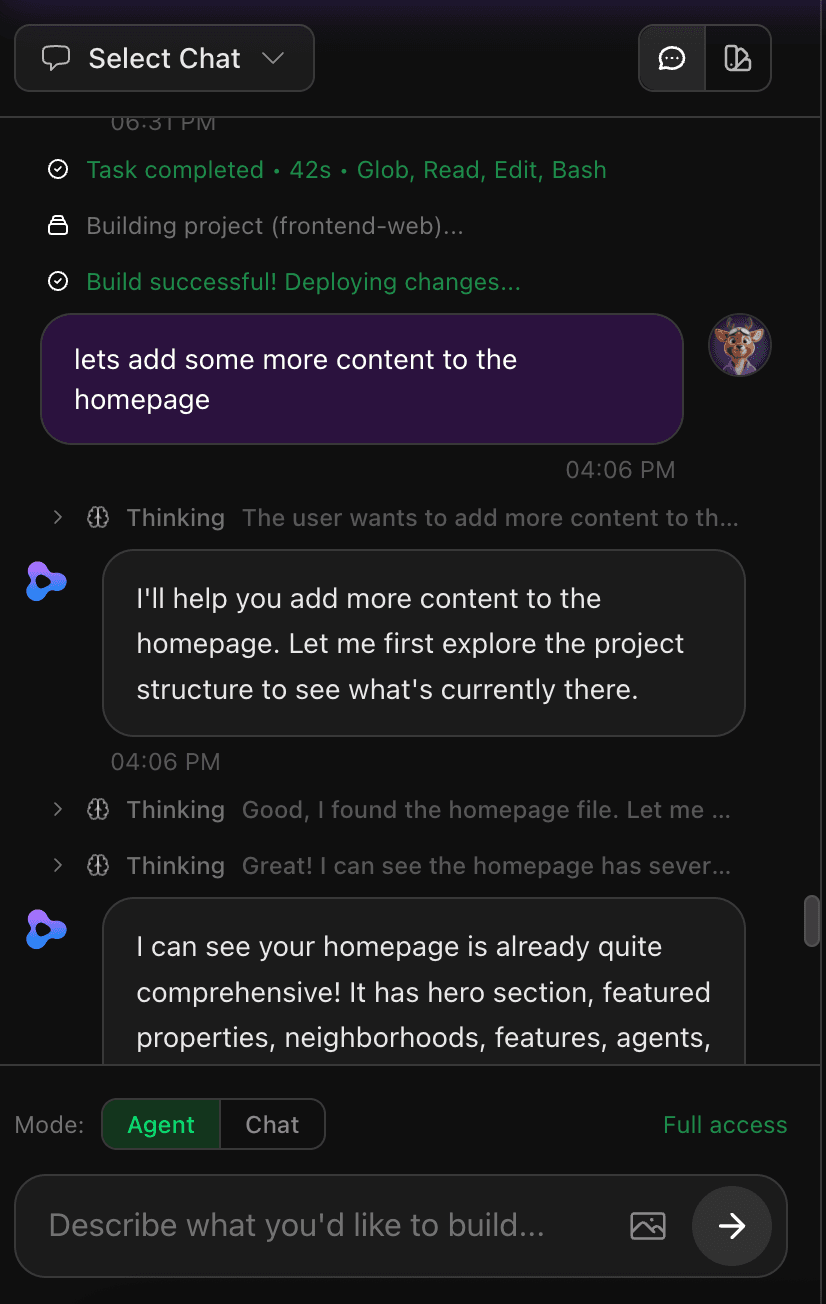
Iterate until it’s perfect
Your app isn’t frozen after the first build. Keep editing through conversation — adjust layouts, add sections, change the color scheme, or restructure pages. The AI remembers everything about your project and applies changes consistently across your entire app. For complex changes that go beyond visual styling — like adding new API routes, database schema changes, or installing packages — the Design Editor hands off to Phoenix, the dedicated AI sandbox, for full pipeline processing.
- Unlimited AI edits on Pro plans — no per-message limits
- Full codebase awareness across every iteration
- Live preview updates as the AI works
- Every change is a real code commit you can review
- Complex changes hand off to Phoenix for full AI pipeline processing
Edit anything about your app
Every change writes real React + Tailwind CSS code. No overrides, no hacks.
Text & content
Click any text to edit it in place. Change headings, paragraphs, labels, and buttons directly in the preview.
Colors & themes
Change background colors, text colors, gradients, and opacity. Apply changes to individual elements or entire sections.
Typography
Adjust font family, size, weight, line height, letter spacing, and text alignment with visual controls.
Spacing & layout
Control padding, margins, gaps, and grid layouts. Make sections taller, narrower, or completely restructured.
Images & media
Swap images from the library or upload your own. Replace backgrounds, hero images, logos, and gallery items.
Components & sections
"Add a testimonials section" or "replace the pricing cards with a comparison table" — the AI builds new components from scratch.
What designers are saying
Real feedback from people using Zylo to design and refine their apps
I selected the hero image, told Zylo to make it darker with an overlay, and it was done in seconds. No Photoshop, no code. This is how design should work.
Lisa Thompson
The visual editor is incredible. I click an element, change the font size, and it updates the actual Tailwind classes in my code. It’s not a WYSIWYG hack — it’s real code.
Raj Patel
I just said "make the pricing section purple and add a toggle for monthly/yearly" and it did exactly that. Across three components. In seconds.
Sarah Mitchell
“I selected the hero image, told Zylo to make it darker with an overlay, and it was done in seconds. No Photoshop, no code. This is how design should work.”
Lisa Thompson
“The visual editor is incredible. I click an element, change the font size, and it updates the actual Tailwind classes in my code. It’s not a WYSIWYG hack — it’s real code.”
Raj Patel
“I just said "make the pricing section purple and add a toggle for monthly/yearly" and it did exactly that. Across three components. In seconds.”
Sarah Mitchell
“I selected the hero image, told Zylo to make it darker with an overlay, and it was done in seconds. No Photoshop, no code. This is how design should work.”
Lisa Thompson
“The visual editor is incredible. I click an element, change the font size, and it updates the actual Tailwind classes in my code. It’s not a WYSIWYG hack — it’s real code.”
Raj Patel
“I just said "make the pricing section purple and add a toggle for monthly/yearly" and it did exactly that. Across three components. In seconds.”
Sarah Mitchell
Frequently asked questions
Do I need design experience to use this?
No. You can click elements to edit them visually, or just describe what you want in plain English. The AI handles all the design and code.
Is this a drag-and-drop builder?
It’s more powerful than drag-and-drop. You can click any element to edit it visually, or describe complex changes like "add a testimonials carousel" and the AI builds it with real code.
Does it generate real code?
Yes. Every visual edit writes clean React + Tailwind CSS code. You can export to GitHub, run locally, or hand it to a developer.
Can I import my Figma designs?
Figma import is on our roadmap. Today you can describe your design vision in conversation and the AI will build it, or start with an existing app and refine it visually.
How is this different from the AI Agent?
The AI Agent builds your app from scratch. The Design Editor lets you refine it visually after it’s built — editing elements, swapping images, adjusting styles, and making conversational changes. They work together.
Are there limits on how many edits I can make?
Pro plans include unlimited AI edits. Free plans include a generous number of edits to get you started.
Works hand-in-hand with
The Design Editor is one part of the Zylo platform — build, design, and deploy from one place
Explore the platform
Start designing your app
Click, describe, publish. Free to start, no credit card required.